The Script form provides a means to create pre-defined text dialogs that can be used for specific fields. Scripts are most useful in entry forms where scripts can be added so that when the cursor is positioned in a specific field, the script window automatically pops up with predefined text of what should be verbally communicated for that field.
Screens
Name |
Description |
This screen is used to define groups. |
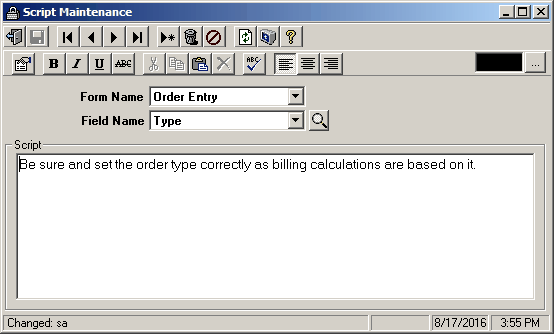
Script Maintenance
Field Descriptions
Name |
Description |
Form Name |
Select the specific application form that this script will be used in. |
Field Name |
Select the field within the selected application form that the script will be used in. |
Script |
Enter the text that will appear in the script window when the cursor is positioned in this field. |