This form is used by an Vans administrator to assign a user to a specific group. It also allows an administrator to assign a default group to which new users are to be added.
Screens
Name |
Description |
This screen is used to define groups. |
Group Maintenance
Field Descriptions
Name |
Description |
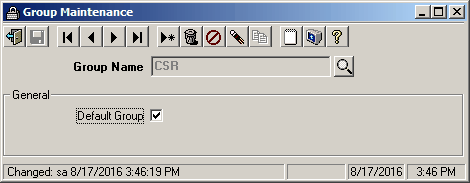
Group Name |
This text box is where the name of a valid group of users is entered. The lookup button next to the text box can be clicked, and all valid group names will be loaded into the Lookup Form. |
Default Group |
If this check box is checked, the Group Name selected will be the default group. Users will automatically be added to this group, unless they are manually added to a different group. |
|
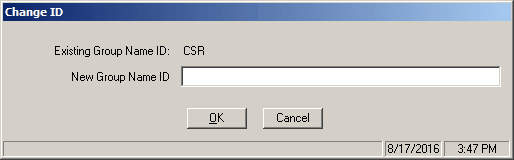
The Change ID toolbar icon is used to change the name of an existing group without affecting any of the group properties. |
OK |
Saves any change you made, and closes the form. |
Cancel |
Cancels any changes made, and closes the form. |
To change the Group Name of an existing group:
1.Select the group you wish to change.
2.Click the  Change ID icon on the toolbar to Change the name of this group.
3.Enter the new group name then click OK.