This option is used to change the company that you are currently working in. This option is only available if you have more than one company defined.
Screens
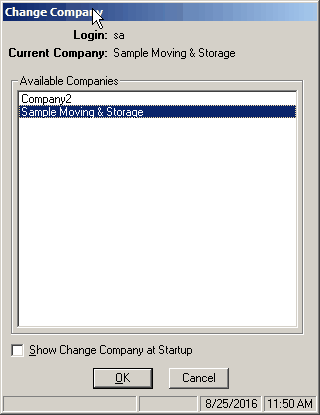
Field Descriptions
Name |
Description |
Login |
Displays the current login. This cannot be changed. |
Current Company |
Displays the name of the currently selected company. This cannot be changed. If cancel is chosen, this is the company you will return to. |
Available Companies |
Panel shows all of the companies that have been defined. The current company will be highlighted, and then any other company from the list may be selected. |
Show Change Company at Startup |
This box indicates whether the Change Company screen should be displayed immediately after logging into Vans. This is useful for users that spend time in multiple companies regularly. This setting can also be changed in User Maintenance. |
Select OK to enter the currently selected company. |
|
Select Cancel to return to the current company. |

