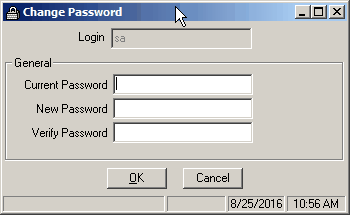
The Change Password option allows you to change your current Vans password.
Screens
Field Descriptions
Name |
Description |
Logon |
The system will display your currently login. This cannot be changed. |
Current Password |
Enter your current password. |
New Password |
Enter the new password you would like to use. |
Verify Password |
Enter the new password again. This is to insure that the new password has been entered correctly. If the New Password is different from the Verify Password, the system will give you a warning when the OK button is pressed. |