This screen is used to purge all MoveTrak records for orders that have previously been purged from the Vans system.
Screens
Name |
Description |
This screen is used to purge records or call a report screen. |
|
This screen is used to print a report of purged records. |
MoveTrak History Purge Screen
This screen will purge records that have already been purged from the Vans system, and can also be used to open a screen to print a report of the records to be purged.
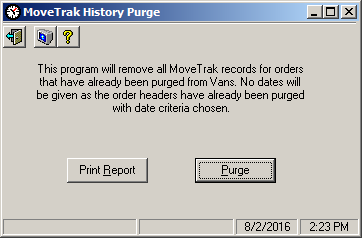
Field Descriptions
Name |
Description |
Print Report |
This command button will open the History Purge Report screen. |
Purge |
This button is used to purge applicable records. |
History Purge Report Screen
This screen is used to print a report of the records to be purged from the MoveTrak system. Reports can be printed either to the screen, or to a printer.
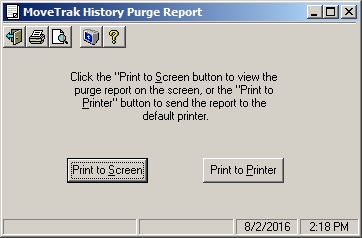
Field Descriptions
Name |
Description |
Print to Screen |
This command button will print a report of all records to be purged to the screen. |
Print to Printer |
This command button will print a report of all records to be purged to a printer. |