The screens in Vans can be accessed in several different ways. The following is an overview of the ways you can access the programs. Your preference can be saved by selecting View then Save Settings from the toolbar. This will save the settings as they are when you log off.
Screens
Names |
Description |
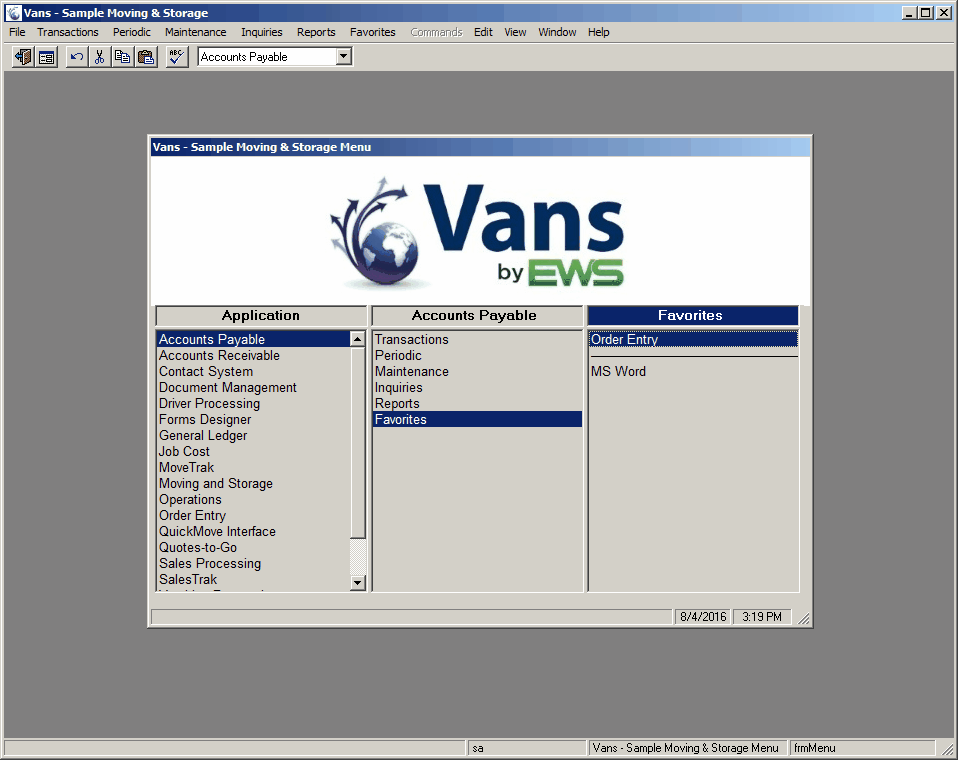
Select programs from a three pane menu screen. |
|
Select programs from an Explorer style menu bar. |
|
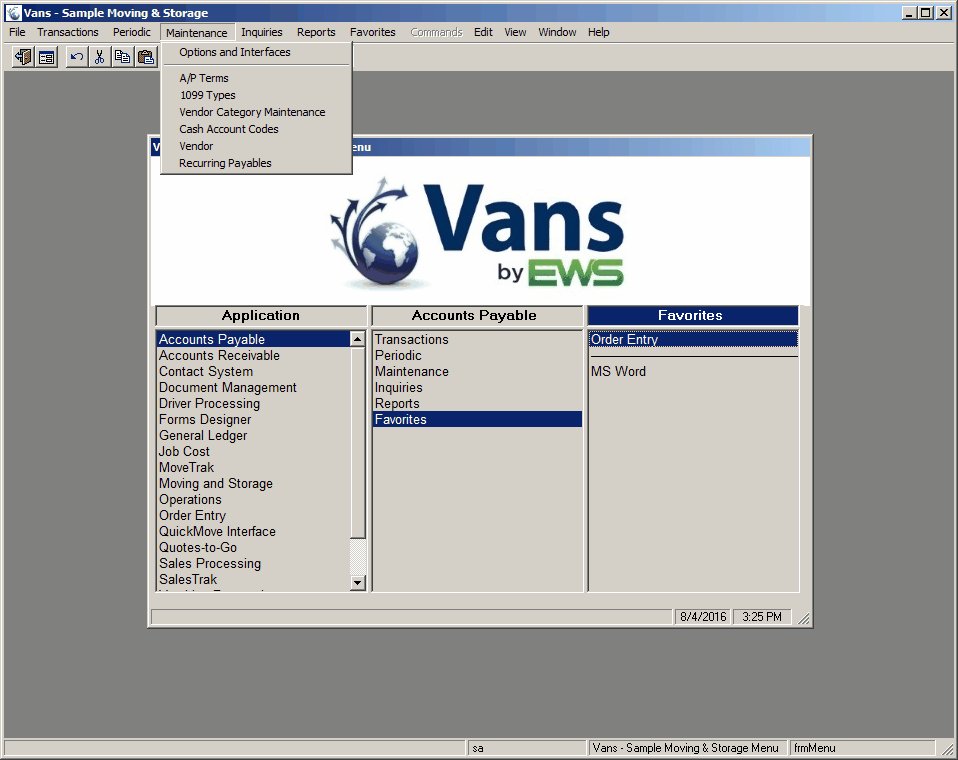
Select programs from drop-down menus. |
Standard Menu
The standard menu allows you to select the desired program in a three pane window. Clicking on the left pane makes the choices for the middle pane. Clicking on a selection in the middle pane makes the selections for the right pane. Clicking on a selection in the right pane opens the desired form. Selecting View->Menu, or clicking the  icon will turn on this menu as long as View->Menu Style is set to Standard.
Explorer Menu
Forms can be selected from an Explorer type menu. The Explorer menu is set up in a tree structure. Clicking on a section topic will expand and display the programs in that section. For example, when you first display the menu, only the Vans modules are displayed. Clicking on one of the modules displays the topics available (e.g., file maintenance, entry, etc.). Clicking the file maintenance topic will display all file maintenance program in the selected module. Selecting View->Menu, or clicking the icon will turn on this menu as long as View->Menu Style is set to Explorer
.

Toolbar
Programs can also be selected from the toolbar. Select the module you can to access. The available options will change based on the module selected.
Drop Down Menus
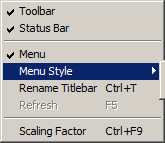
This is an image of the menu that drops down when the View menu item is selected on the main form. From here you can select the following items:
1.Turn the Toolbar on/off
2.Turn the Status Bar on/off
3.Turn the Menu on/off
4.Change the selected menu type (Standard or Explorer)
5.Rename the Titlebar (to differentiate in case you have multiple instances of Vans running
6.Select the Scaling Factor for all forms.