This screen is used to change of the font, where allowed. Though anticipated to be offered in more functionality, currently its use is within MoversSuite Administration > Options Menu > Change (Unsaved) Indicator option.
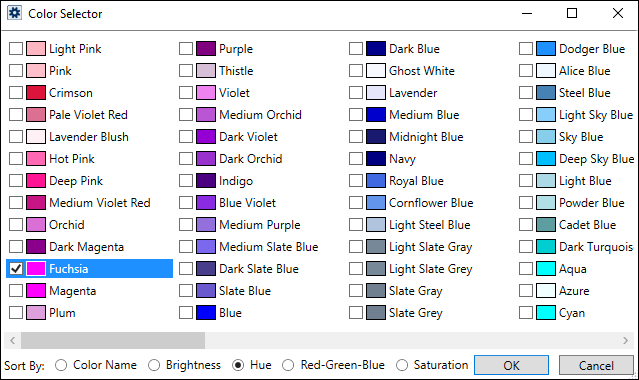
The Color Selector is a fixed set of 147 specific colors that have standardized names. User’s cannot add, modify nor delete them. Colors are stored in the CssColor table in the database. The default setting is red.
To use the Color Selector, just choose a color by checking a box and then OK. Use the Sort By feature at the bottom of the screen to change sort order accordingly. Also, be sure to use the scroll bar at the bottom to be able to see all the colors available.
With the color set to Fuchsia in the above image, (Unsaved) will show like below:

RELATED INFORMATION:
MoversSuite Administration Options Menu